Methodology
 Zeemonster gevangen tussen Scheveningen en Katwijk - Anonymous 1661 - Rijksmuseum - CC0 1.0
Zeemonster gevangen tussen Scheveningen en Katwijk - Anonymous 1661 - Rijksmuseum - CC0 1.0
To illustrate the creation of the TAM app with its two distinct sections—a semi-generative opening sequence and a traditional song structure whose elements are reshaped and transformed—the methodology section gives an overview of personal examples of adaptive audio tools and creations in video game engines with a focus on their random features. The bibliography section references recent books on composing and creating music and sound for video games.
Different techniques exist to compose adaptive music. A distinction is generally made between:
Horizontal Resequencing:
“Horizontal resequencing is a method of interactive composition where the music is dynamically pieced together based on the actions of the player. For example, when the music is playing underneath the gameplay, it may reach a decision point where it could either go to a new section of music or repeat the previous section depending on the player’s actions.”1
Vertical Remixing:
“Vertical remixing is an interactive composition technique in which layers of music are added or taken away to create levels of intensity and emotion. This method of scoring is useful when the composer needs multiple quick changes to intensify the score, where harmonic changes based on gameplay are not as important.”2
As FMOD is one of the main tools I used for my research and the TAM app, the methodology section as well as the advanced teaching skills examples provide a detailed overview of these tools.
These adaptive audio tools can be analyzed and placed into a wider context of algorithmic music (cf. next pages), into which generative and semi-generative music falls, with randomness being a key element.
For The Aquatic Museum app, I use the FMOD audio middleware combined with the Unity game engine. While this research is not about the technical aspects, it is important for the methodology section to give an overview of the tools used in my creative process. I use the same tools in my advanced teaching skills research by taking advantage of software resembling traditional DAWs but designed for video games. However, differences from traditional audio workstations do appear in the media creation process. This research also focuses on one specific element or feature used in adaptive audio and other music creation tools: randomness or aleatory features.
Composing music for games requires a different approach from the more linear thinking used in film music.
For the FMOD creators, their studio package is
“an end-to-end solution for adding sound and music to any game. Build adaptive audio using the FMOD Studio and play it in-game using the FMOD Engine.”1
Three market segments are listed: sound designers, programmers, and producers. The idea is to facilitate the video game audio and music creation process and the division of tasks between audio designers and coders.
Excellent tutorials can be found on YouTube2, and for book recommendations, please refer to the Game Music and Audio Book References section. The simplest entry into the technical aspects comes from a personal example from the 2021 Global Game Jam in Luxembourg. The setting is a spaceship—yes, exactly as you’d imagine one: dark, damp, menacing, and claustrophobia-inducing. Furthermore, dear reader, note how stressful the absence of a stop button is. The ship’s soundscape was created with different sound samples, some of them hand-recorded with voice, paper, and tube accessories.
Here is a video of the actual project in FMOD Studio, the main design tool of the suite. Two important things to note: first, I’m not using the timeline in this example.3 Second, the slider triggers different sound objects (called instruments in FMOD) when moved by the user or triggered by code, and some audio samples are triggered asynchronously. Automation lanes, shown at the end of the clip, control volume as well as the parameters of the different instruments.
The audio designer can now collaborate with the coding team to implement this single atmospheric ambiance. This is a simple example with a single parameter, so the amount of coding is limited, but even for simple audio tasks, the work required can grow exponentially despite the general tendency of software tools to rely more on visual design and less on coding.
on YouTube: official FMOD channel and Scott Game Sounds ↩︎
Notice the visual similarities to DAWs (e.g., Cubase, Ableton), but with a fundamentally different adaptive audio logic. ↩︎
Adaptive audio tools provide advanced music creation possibilities that differ from the features found in more traditional DAWs. Here is the theme for one of the monster encounters (cf. sound in video games). It is a collage I created from a Donizetti opera1 recorded in 1911, Omnisphere synth sounds, and the preceding page’s soundscape. Some sonic elements as well as the volume balance are adapted dynamically during gameplay.
For the next example, I used only Tempest, a drum machine designed by Roger Linn, to create a groove with different drum and synth layers. The main groove uses the Batá rhythm Olokun as a template.
I simplified this example and created 3 videos to illustrate the different adaptive layers and random features. An easy way to imagine the use of FMOD is to think of having a scaled-down version of Ableton Live that can be hidden in a game, an app, or (like here) on a website:
These examples only scratch the surface of what is possible in an audio game engine. To understand the full potential of FMOD, imagine a compact DAW hidden in a game or multimedia installation. Real-time effects and interactive mixing further extend the possibilities for The Aquatic Museum app.
Una furtiva lagrima (L’elisir d’amore, Act 2) - Gaetano Donizetti - performed by Enrico Caruso (public domain). ↩︎
As the preceding examples show, the design and creation process of audio and music for games is based on traditional composing, recording, and creation practices, but the assembly and delivery of the media assets require other tools and an adapted kind of thinking and planning.
A common classification of sounds in games, adapted from film, is as follows:
Diegetic sound is heard by both the characters and audience. Also called ’literal sound’ or ‘actual sound’.
Sound effects: car engine, collisions, explosions
Music: car radio, band playing on screen
Vocals: dialogue, voices, crowds
Non-diegetic sound is represented as coming from a source outside the story space, i.e., its source is neither visible on the screen nor has been implied to be present in the action. Also called ’non-literal sound’ or ‘commentary sound’. wiki
Sound effects: off-screen sound effects, e.g., footsteps
Music: background music, tunes, themes (boss theme etc.)
Vocals: voice-over, narration
The Atari PONG (1972) arcade game featured only sound effects and no music (depending on the definition…):
Full orchestral soundtracks with lush string arrangements copying every Hollywood cliché (you can google those).
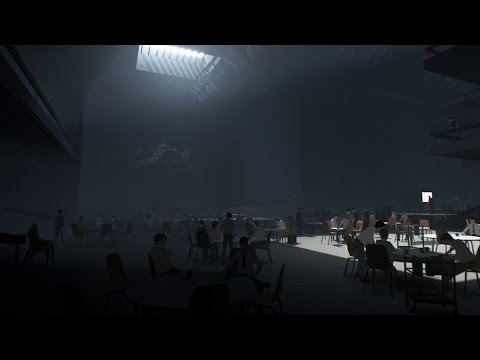
Games like Inside:
Here are interesting interviews with Martin Stig Andersen, sound designer and composer for Inside and Limbo:
Interactivity and generative music are the two main characteristics differentiating music for games from music for film.
Here is an excellent article on the history of audio and music in video games: How music became an essential ingredient of video games.
Readers who prefer to jump right into the process documentation can skim the “Tools of the Trade” section, but game engines and adaptive audio middleware go hand in hand to create an immersive user experience. The Aquatic Museum app is created with both the Unity game engine and FMOD. Although you can use FMOD for other software projects (as it is used here on this website), its main purpose lies in the flexibility it offers when working with game engines.
Today, most games (from indie to AAA) are created using software called “game engines”. They provide many essential features found in most games out of the box and require less coding:
Good game engines nevertheless offer complex coding options for maximum flexibility, and most non-trivial games still rely on them.
Drawing a sphere with C++ code while still cheating a little and using the WebGL Graphics Library:
All projects developed in Unity can potentially run on all the following platforms, ranging from PC, Mac, and Linux to game consoles (PlayStation, Xbox, etc.) and mobile devices. I say “potentially” because most of the time, platform-specific development is required, which can require substantial additional development effort.

There are many, but only the three most famous are linked here. They are also used extensively for VR projects, installations, and animated films.
Unity case studies:
Games using the Unreal engine:

Godot is completely free and open source under the MIT license. “No strings attached, no royalties, nothing. Your game is yours, down to the last line of engine code.”
Godot doesn’t have any AAA games to show (yet), but it is becoming increasingly popular:

One of the most famous game jams is globalgamejam.org, which takes place every year at different locations around the world. Participants are given a main theme (e.g., “Waves” or “Repair me!”), and multidisciplinary teams have 48 hours to build a complete game and upload it. In January 2020, there were 934 locations in 118 countries, and teams created 9,601 games in one weekend.
Musicians are always in high demand, and those with minimal coding skills and knowledge about game audio engines even more so.
Global Game Jams take place every January, and registration for the Netherlands can be found on this website: globalgamejam.nl.
Here is one of the sessions for which I did the audio.
Use a microphone-enabled device to sing the same note that the enemies are producing to destroy them with a beam of sound. Uses FFT to calculate the pitch of the singer’s voice. We integrated the Google Cardboard API to allow the player to play the game without using any buttons. It uses pitch detection to destroy specific enemies. Works on windows and mac. We tested it on iOS and it works pretty well but the enemy sound are not working. The music works fine though. (Global Game Jam Luxembourg 2017)

There are also quite a few choices of audio engines and authoring tools for video games. The two most widely used are listed here.
FMOD game references:

Wwise game references:

There are many in-depth tutorials for game engines. For audio engines, cf. the tutorials for FMOD and resources for Wwise.
For FMOD, an excellent one is Celeste:
For Wwise, there is an older step-by-step tutorial built around Limbo: